
How I Solved Quad Cortex Footswitch Spacing Problems Using a Boss FC-50 MIDI Foot Controller
The footswitches on my Quad Cortex were just a little too close together – and it nearly ruined live shows. Here I explain the solutions I tried, and how I finally fixed it with some classic 1990s tech and a little modern magic.
Quick summary
If your Quad Cortex footswitches feel too close together, you can fix this by using a MIDI foot controller with wider spacing such as the Boss FC-50, combined with a MIDI translator like the CME H2MIDI Pro. This setup gives reliable switching with wider spacing, and still fits on a compact pedalboard.
Contents
- Switching to Quad Cortex
- Problems with Quad Cortex
- Quad Cortex footswitches too close together
- Why switch toppers didn’t help
- Looking for a MIDI foot controller
- Boss FC-50 MIDI Foot Controller
- The MIDI message problem
- MIDI hubs to the rescue
- Quad Cortex and Boss FC-50 working together
- Programming the MIDI mapping
- Final layout and wiring
- Building it yourself
- Problem solved
Switching to Quad Cortex
At the end of 2025 I swapped the pedalboard I had lovingly built up for years for a Neural DSP Quad Cortex.
My old pedalboard was a beast. I had 10 stompboxes plus a wah pedal, tube preamp pedal, and power supply. It was all on a Pedaltrain Classic 3 in a huge tour case on wheels. It weighed over 17kg. Add to that the Vox AC30 head and separate cab, and two guitars I was regularly using, and it was like moving house every time I played a gig.
Here’s what the original setup looked like:
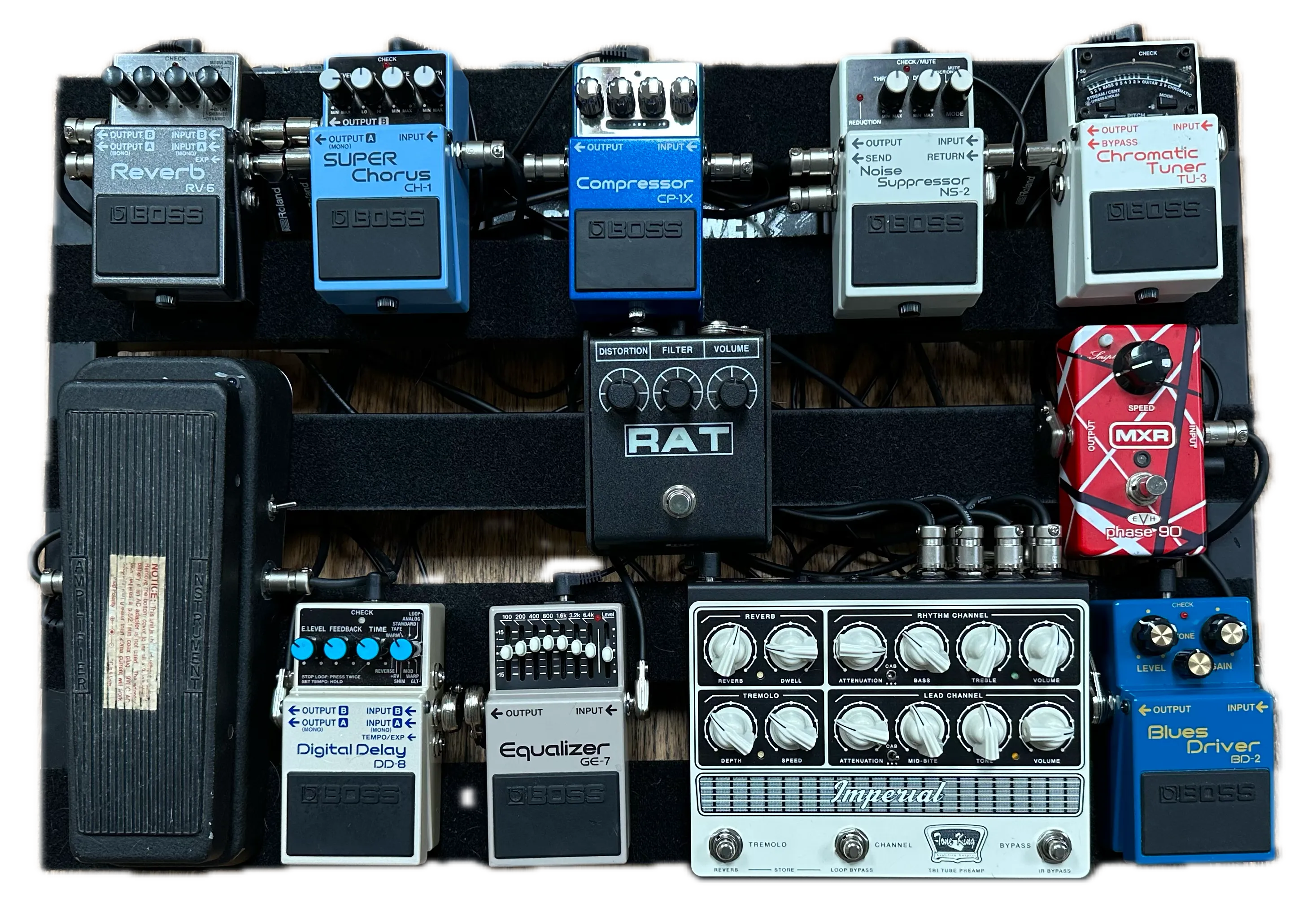
Playing lots of festivals with Blurz means being prepared for quick changeovers. You’re expected to get on stage, set up, and be ready to perform in as little as 15 minutes. At the end you need to get all your equipment off quickly to make way for the next act. My gear was too cumbersome for that. I needed something smaller and lighter to move, and faster to set up.
I’d been slowly moving towards modelling and DI. My ToneKing Imperial Preamp pedal had three real tubes but IRs for cab simulation, and I’d used it directly into the PA several times instead of using an amp. Friends using Quad Cortex convinced me to try making the full switch. I’m glad they did. The sound was great, and I found some fantastic amp captures to nail the tone I wanted. But importantly, it was small, light, and was ready to play in under a minute.
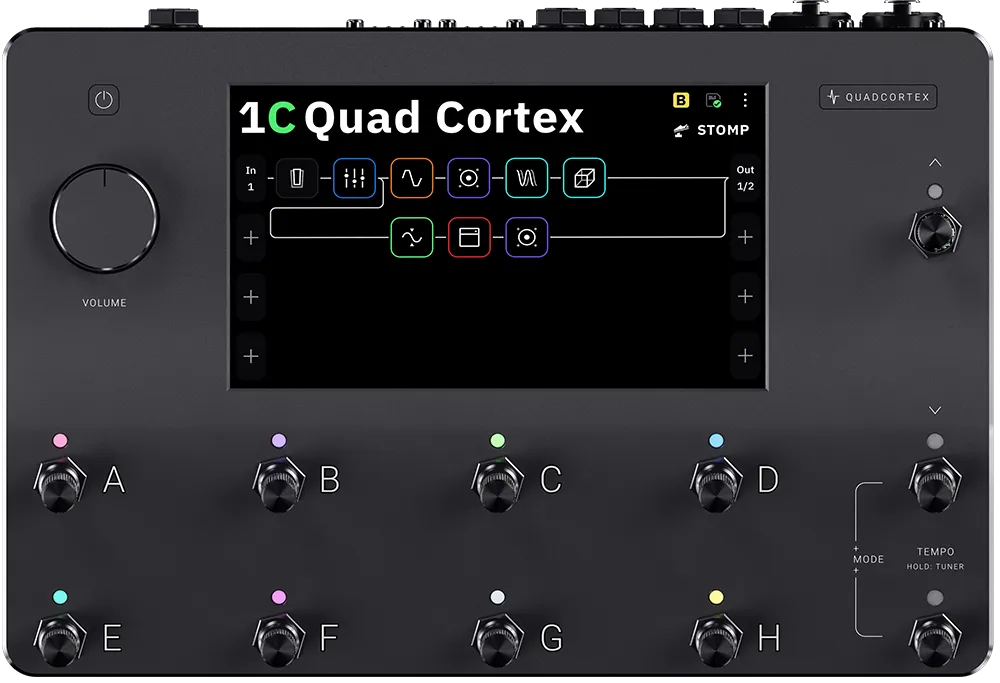
Here’s a Quad Cortex if you’re not familiar with them:
Problems with Quad Cortex
For me, however, the Quad Cortex was not perfect.
-
It’s solidly built, but I wasn’t convinced the small padded case it came with would adequately protect it with regular rehearsals and gigs.
-
The standard power supply is like a cheap phone charger. It has a thin cable you coil up every time you travel. The flimsy barrel connector to the Quad Cortex felt like it would drop out, or get knocked on stage and break the socket.
-
The built in tuner was also basic and felt slow to respond.
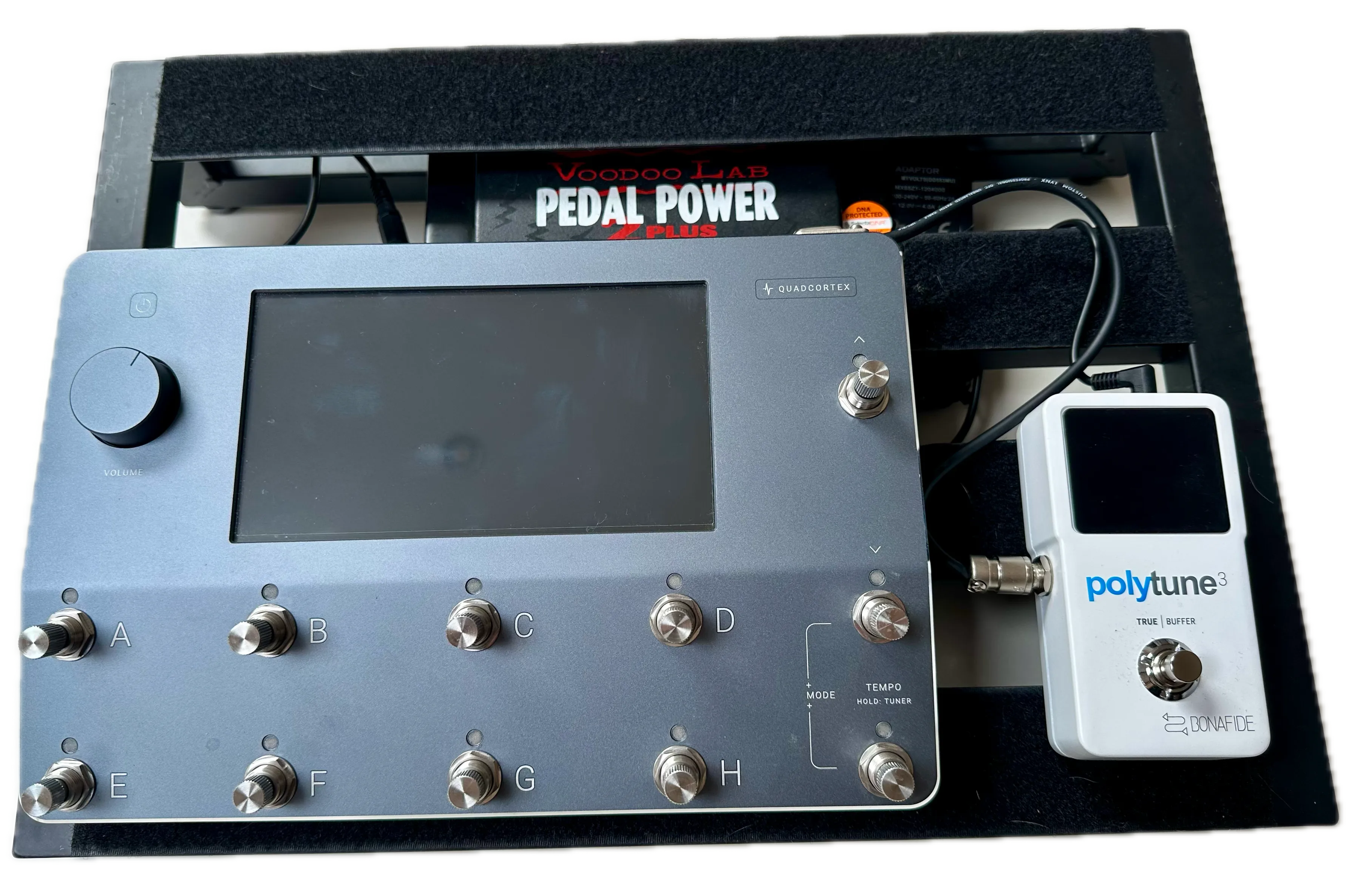
I solved all these with a small Pedaltrain Classic Jr pedalboard in a tour case, a power supply with a proper IEC mains cable and snug fitting angled barrel connector, and my trusty TC Electronic Polytune 3 tuner.
A little chunkier now in the tour case, but nothing like my old setup, and still just lift out, plug in, and play.
My first iteration pedalboard with Quad Cortex:
Quad Cortex footswitches too close together
However, one thing kept niggling me. The footswitches on the Quad Cortex were just a little too close together. Most of the time it wasn’t a problem. Practicing at home was fine. Most rehearsals were fine. But if you’re more than a shoegaze guitarist, and you’re getting into the music in a rehearsal, or want to be more animated on stage for the audience, it can be a problem. It’s too easy for your shoe to catch the edge of the footswitch next to the one you intended to hit, and you suddenly have the wrong sound.
Surely I wasn’t the only person experiencing this? Reading the Quad Cortex forums I discovered lots of debate. Many insist it’s fine as it is. They never have a problem with accidentally pressing the wrong switch – they’re adept at precision toe pointing while jumping around. Others complained about their big clumsy feet regularly hitting the wrong switch.
Why switch toppers didn’t help
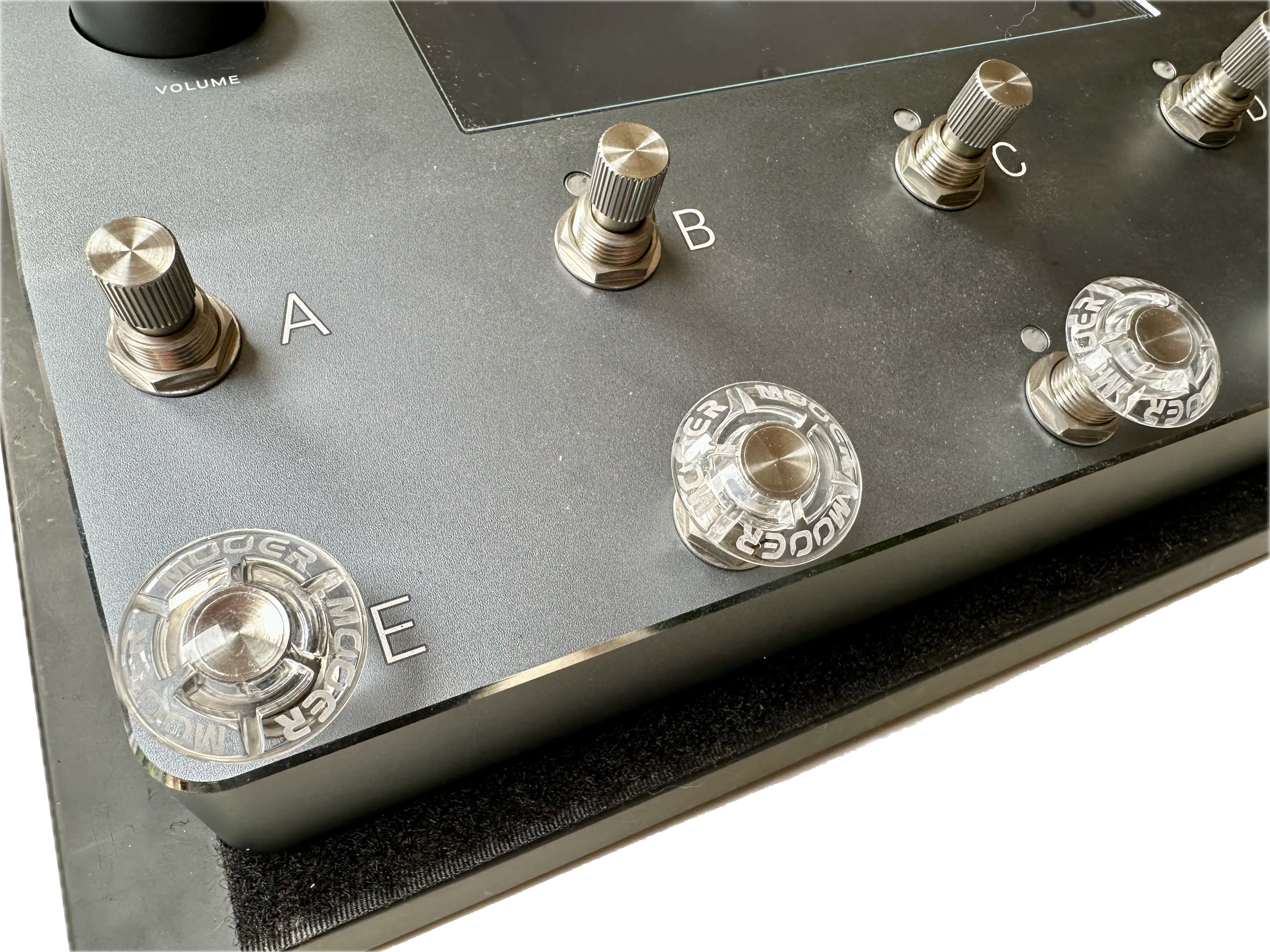
One of the solutions often proposed on the forums was switch toppers. Mooer toppers and ‘Shrooms were the most frequently recommended, so I ordered both to try. They fit well on the switches. They also look great, spreading the light from the coloured LED next to each switch.
Unfortunately, switch toppers didn’t solve the Quad Cortex footswitch spacing issue. They didn’t stop me from accidentally pressing the wrong switch occasionally. In fact, they likely made things worse because now the edges of the switches to either side of the one I’m trying to press are even closer!
Here’s my Quad Cortex with a selection of Mooer switch toppers:
Looking for a MIDI foot controller
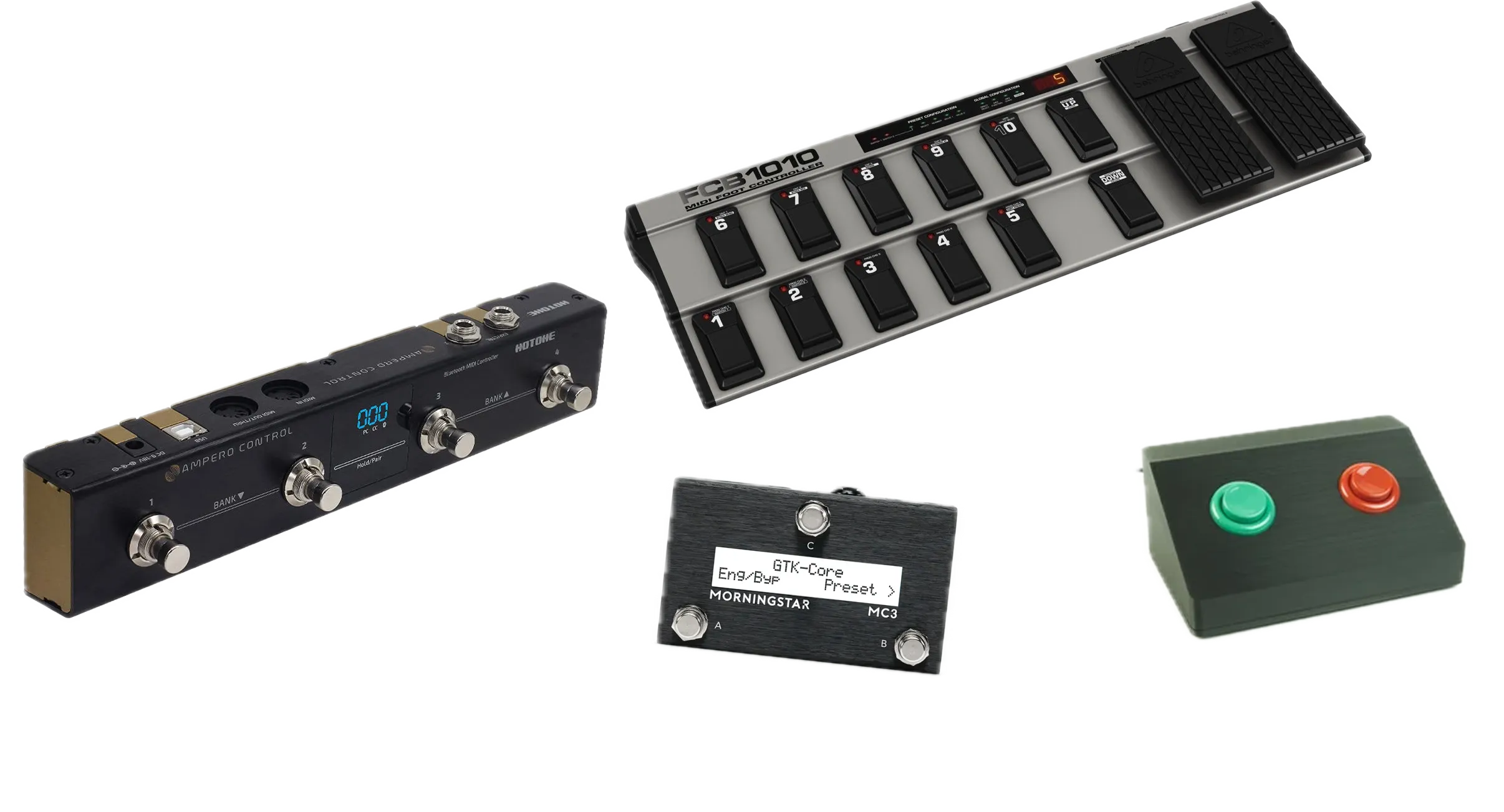
The other solution that was frequently mentioned was to use a separate footswitch to control the Quad Cortex via MIDI. There are lots of small programmable MIDI foot controllers to choose from these days. I ideally wanted something that would fit on the Classic Jr pedalboard and with a minimum of four footswitches.
Everything I found was either too big for the space on the pedalboard, too few switches, or with switches that appeared to be no further apart than on the Quad Cortex. I considered going down the custom build route, but that would turn out to be very expensive and I felt like I shouldn’t need to spend hundreds for four decently spaced switches.
Here are the kinds of MIDI foot controllers I considered:
Boss FC-50 MIDI Foot Controller
I couldn’t believe this wasn’t a solved problem. After all, I never had this problem with my old pedalboard loaded with Boss stompboxes. Boss long ago worked out the standard for super robust and perfectly sized pedals that you could jump on from across the room without breaking or missing.
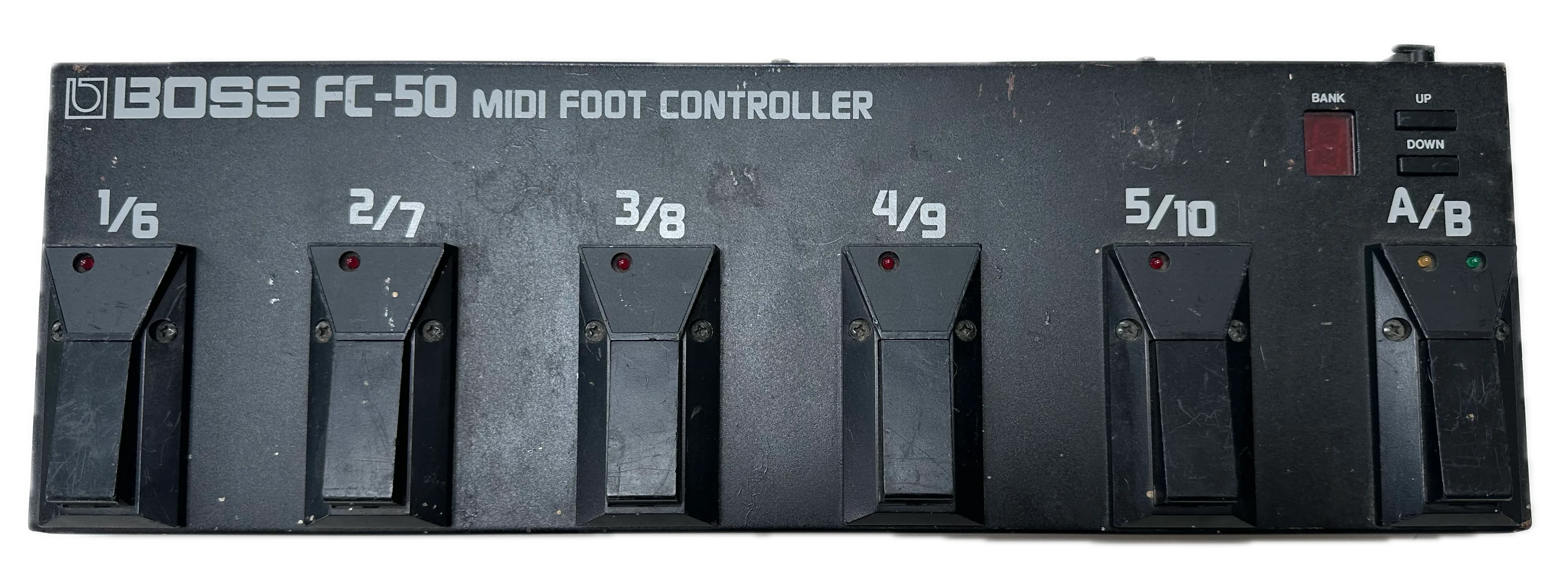
And of course, Boss had the answer. The Boss FC-50 from 1991 is a MIDI foot controller with six good sized, well spaced, robust switches. The switches are built into a metal case that perfectly fits the width of the Classic Jr pedalboard. It also looked like I would be able to fit both an FC-50 and my Quad Cortex on the pedalboard with just a tiny overhang and it still fit in the flight case. Being a Boss pedal, it could also be powered by the old Voodoo Labs Pedal Power 2 Plus I’d attached under the pedalboard just to power my tuner. Best of all I could find one on eBay for £40. So I ordered it.
Here’s what the FC-50 looked like when it arrived:
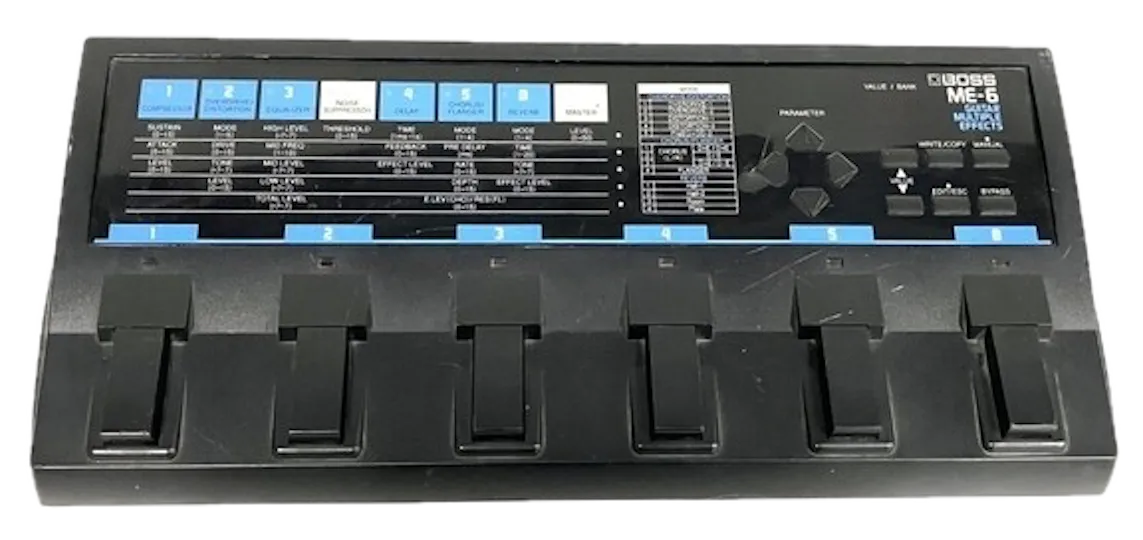
The Boss FC-50 reminded me a lot of the Boss ME-6 multi effects pedal I had in the 1990s. That was my first ever effects pedal and I remember spending hours as a teenager trying to get the overdrive and distortion to sound like my favourite metal songs.
My old Boss ME-6 Multi Effects pedal:
The MIDI message problem
I was excited when it arrived and quickly plugged it in. Both the pedal and Quad Cortex were set to MIDI channel 1. I knew it was unlikely it would be sending the right messages to change the scene on the Quad Cortex, but I pressed a switch on the FC-50 to see what would happen. The Quad Cortex changed to a different preset rather than scene. They successfully talked to each other. Now I just needed to program the FC-50 to send the right messages.
Then I realised my mistake. I should have read more of the manual online before I ordered it. The Boss FC-50 sends a Program Change message with value 1 to 5 whenever you press one of the first five pedals. With the A/B pedal and 12 banks it can actually send any value between 1 and 120. Very versatile, but not what I needed. To change the scene on the Quad Cortex I needed to send a Control Change 43 message with values between 1 and 8. Unlike modern MIDI footswitches, there is no ability to program the FC-50 to send different types of messages.
In simple terms, the FC-50 sends the wrong type of message, so I needed something to translate it.
MIDI hubs to the rescue
Another problem to solve, but I was on a mission now and determined to make it work. I started to wonder whether I could modify the Boss FC-50 in some way. I also began thinking about building a custom MIDI translator. Using an Arduino board I ought to be able to build something that would convert Program Change messages to Control Change 43 messages.
It was while I was researching this option that I discovered that MIDI hubs are a thing. In their most basic form these allow you to connect multiple MIDI devices like synthesizers and drum machines to each other or to a computer. Some of them are also smart. They can process messages before passing them on, either filtering, rerouting, or mapping messages to different types and values.
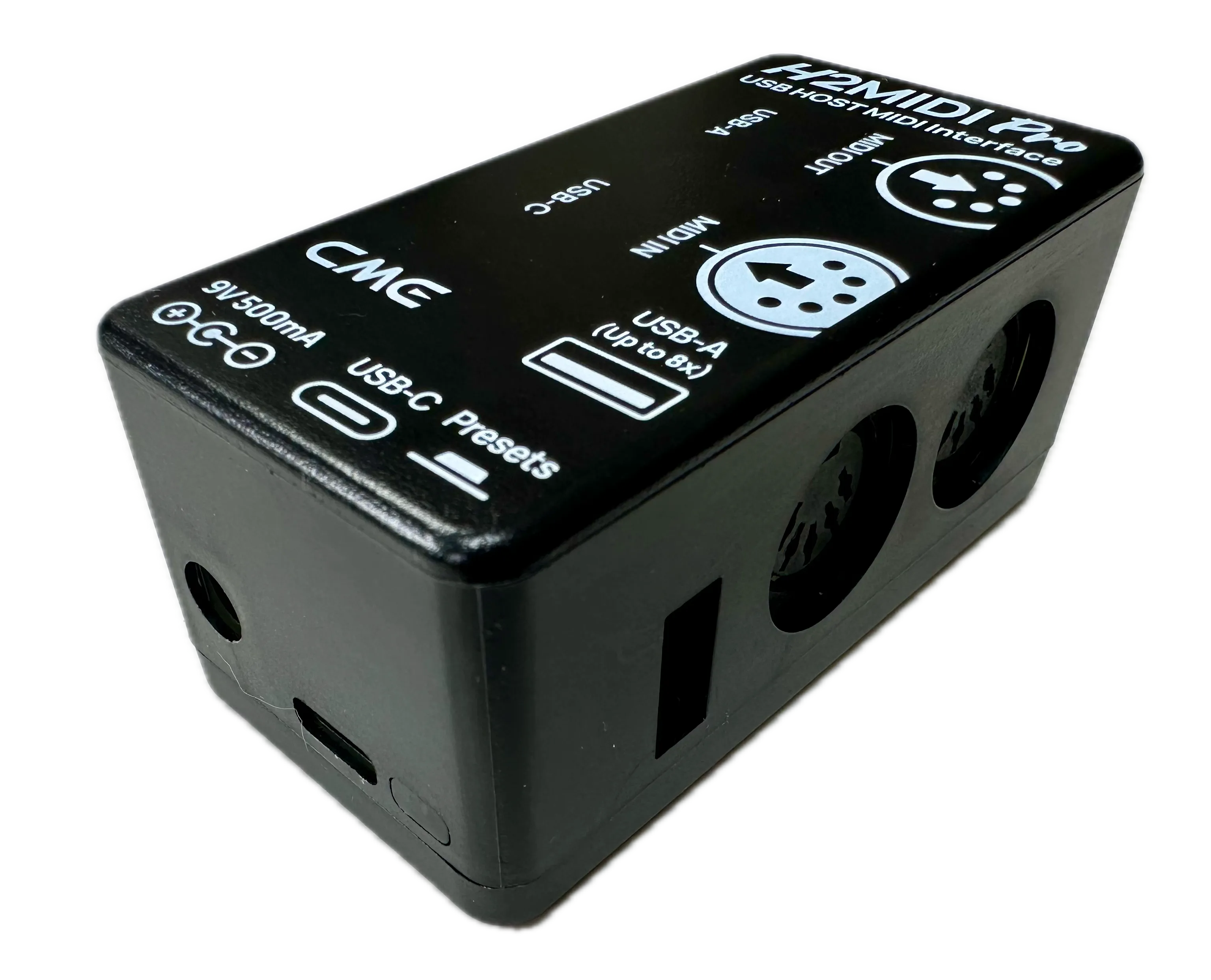
CME produces a range of MIDI interfaces, and one in particular was clearly designed precisely for people like me. The CME H2MIDI Pro is a tiny box with two MIDI 5-pin DIN sockets, USB-C and USB-A sockets, and amazingly a 9V barrel connector designed to be powered by a guitar pedal power supply. You can download their software for free to filter, route and map MIDI messages. It seemed very reasonably priced at £39.
Quad Cortex and Boss FC-50 working together
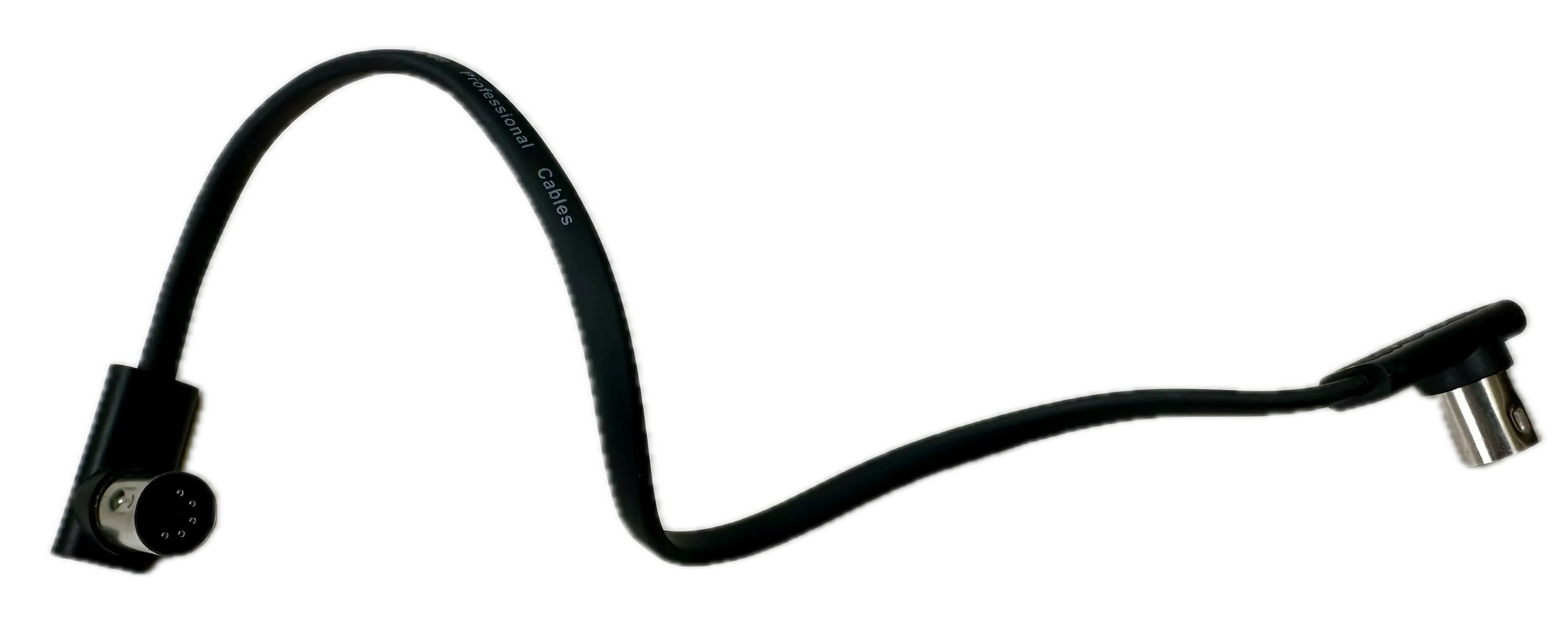
This time I read the manual before buying to make sure it could do what I needed. One thing I learned was that the power requirements were slightly higher than any single output on my Voodoo Labs Pedal Power 2 Plus, so I also ordered a Voodoo Labs current doubler cable to combine the power from two outputs. Feeling confident I would get this to work, I also picked up a couple of short MIDI cables with low-profile plugs so I would be able to squeeze the Boss FC-50 and Quad Cortex and connectors onto my pedalboard in a way they would fit in the Classic Jr tour case.
Programming the MIDI mapping
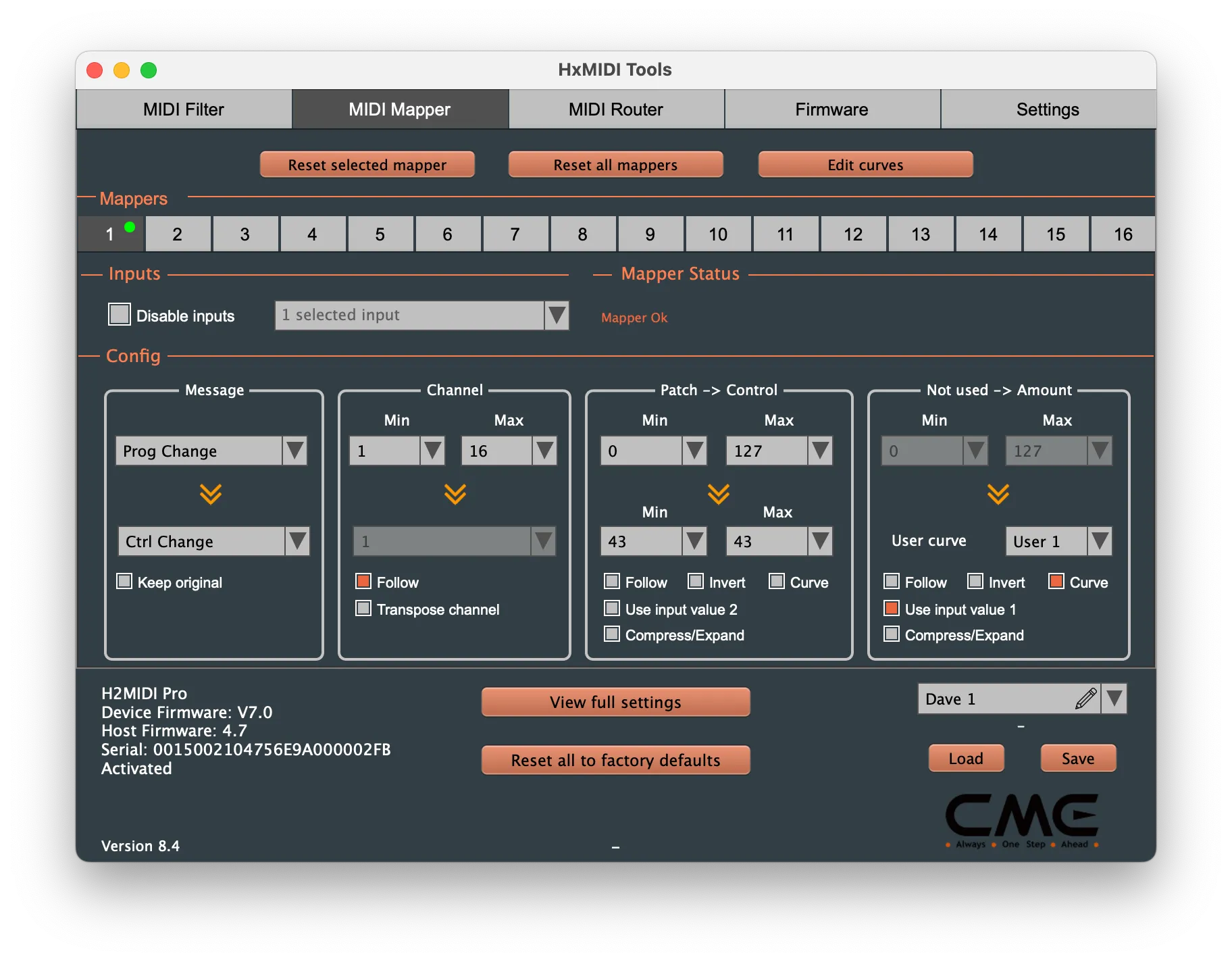
The CME HxMIDI Tools software was easy to use. I used the MIDI Mapper feature to map Program Change to Control Change 43 messages, and a custom mapping curve to convert the PC value to the correct value for the scenes I wanted to switch to. Since I had previously been carefully stomping on switches on the Quad Cortex, I had created all my presets with scenes on the front row of switches (scenes E to H), so I used a mapping curve that mapped value 0 to 4, 1 to 5, 2 to 6, and 3 to 7.
Here’s how I set up the mapping in the CME HxMIDI Tools app:
Final layout and wiring
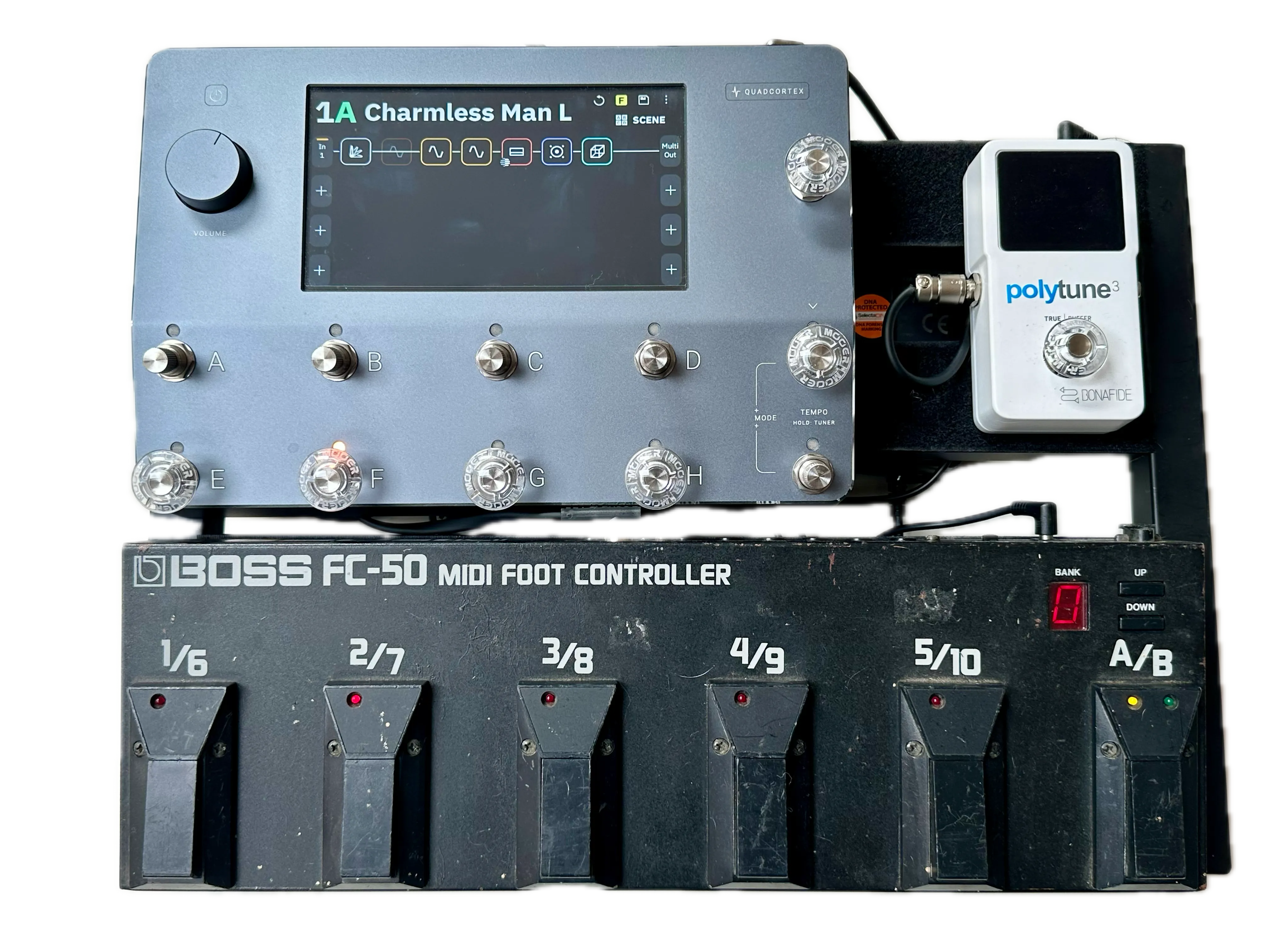
I tested it and it worked! The CME H2MIDI Pro now fits snugly under the Classic Jr pedalboard, attached with Velcro tape. I switched to a right-angle barrel connector for the Quad Cortex power supply so it would fit well in the tour case without being knocked, and tidied everything up with a couple of cable ties.
My finished Quad Cortex pedalboard:
Building it yourself
If you have the same problem I had of accidentally pressing the wrong footswitch on your Quad Cortex then the Boss FC-50 could be the answer for you too. Here’s everything you need to build the same pedalboard as mine:
- Neural DSP Quad Cortex
- TC Electronic Polytune 3
- CME H2MIDI Pro
- Voodoo Labs Pedal Power 2 Plus and cables
- 12V / 3A power supply for Quad Cortex with e.g. IEC C7 input
- Pedaltrain Classic Jr with tour case
- 2x 30cm 5-pin DIN low-profile MIDI cables
- 1x Voodoo Labs current doubler cable
- 1x low-profile jack patch cable
- 1x short power cable between Pedal Power 2 Plus IEC C14 output and C7 input on power supply for Quad Cortex
- 1x right-angle 5mm / 2.1mm barrel connector cable for Quad Cortex power
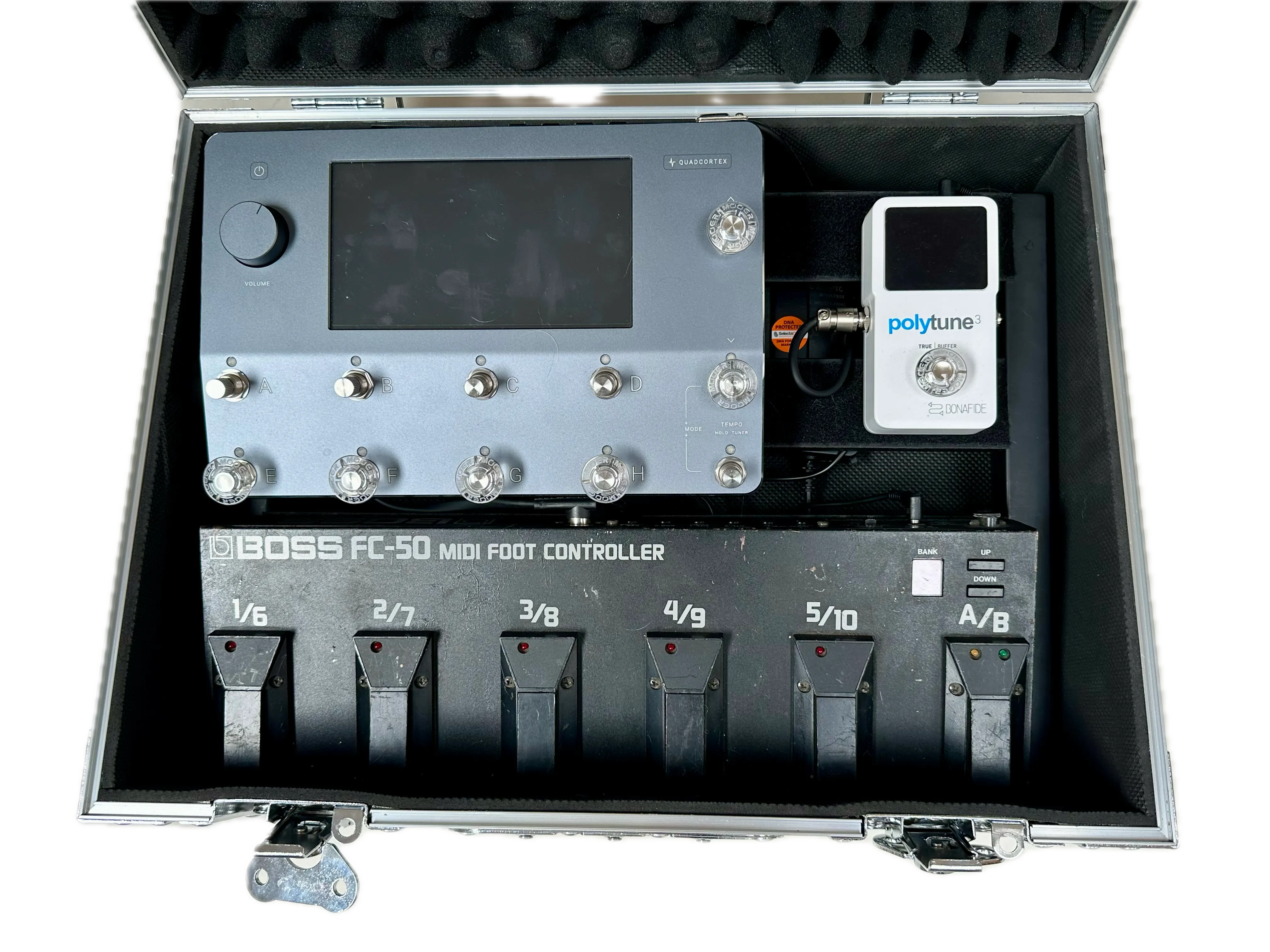
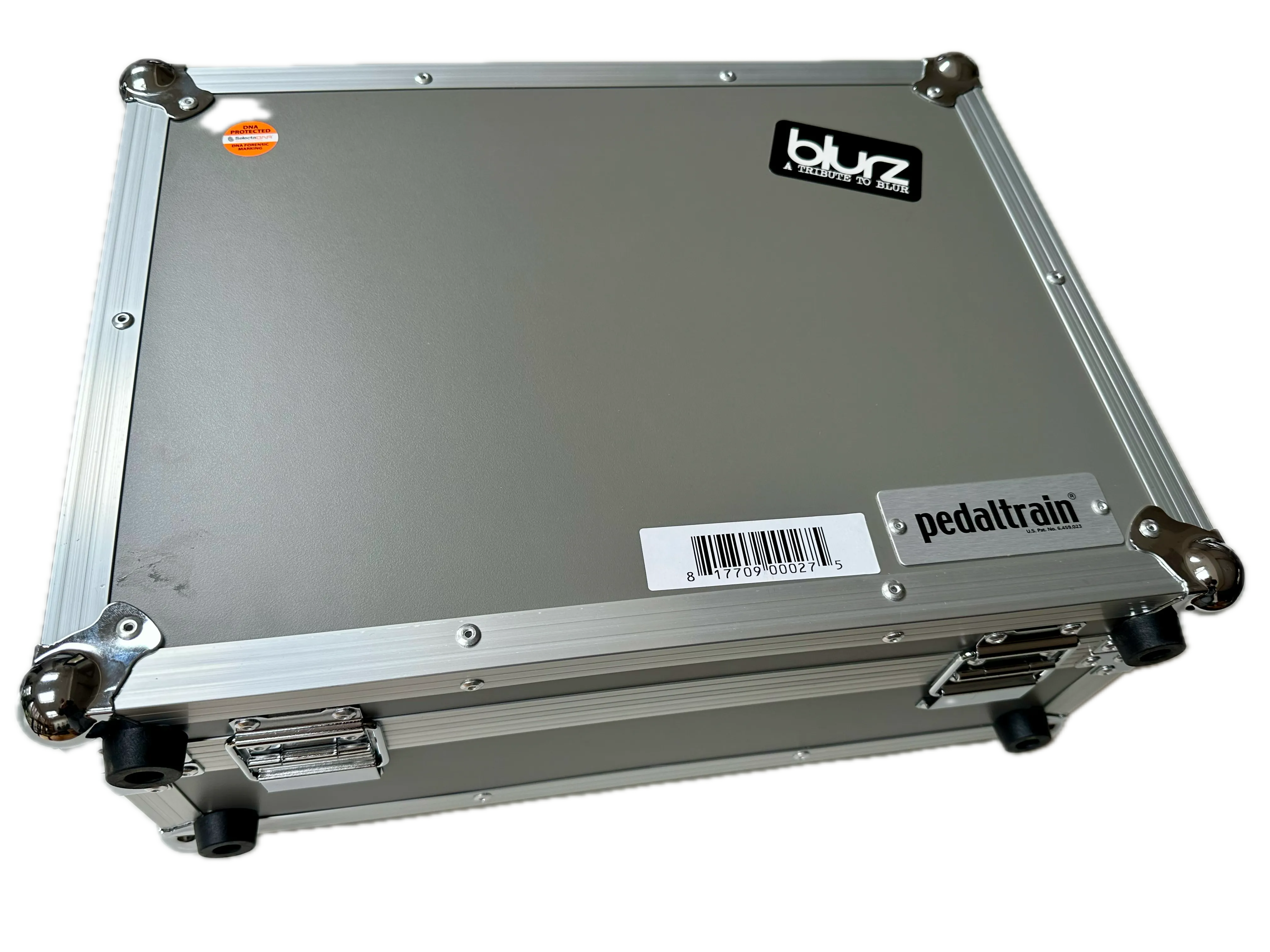
This all fits nicely in the tour case:
Problem solved
After all this, I ended up with a Quad Cortex pedalboard that:
- Has widely spaced switches
- Sets up in under a minute
- Fits inside one compact tour case
If your Quad Cortex footswitches feel too close together, you too can solve it using an older MIDI controller like the Boss FC-50 combined with a MIDI translator such as the CME H2MIDI Pro. I found this setup provides wider spacing, reliable scene switching, and a pedalboard that’s still quick to set up for live shows.